Loot
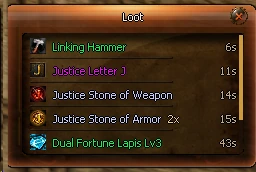
The bag button on the minimap (or /loot) lists the last items that entered your bags with their name color, count and time. Picking up the same item again raises its count instead of adding a row.

Closed Alpha testing is underway
Justice Online is not publicly open yet. Closed Alpha is running while we test the systems, progression and balance that will shape public launch.
The system images below come from the current Justice Online client. More PvP, boss and progression footage will be added as Closed Alpha testing continues.

 Fighter
Strength defends
Fighter
Strength defends

 Guardian
Faith protects
Guardian
Faith protects

 Archer
Precision hunts
Archer
Precision hunts

 Pagan
Knowledge rules
Pagan
Knowledge rules

 Assassin
Shadows strike
Assassin
Shadows strike

 Priest
Light restores
Priest
Light restores
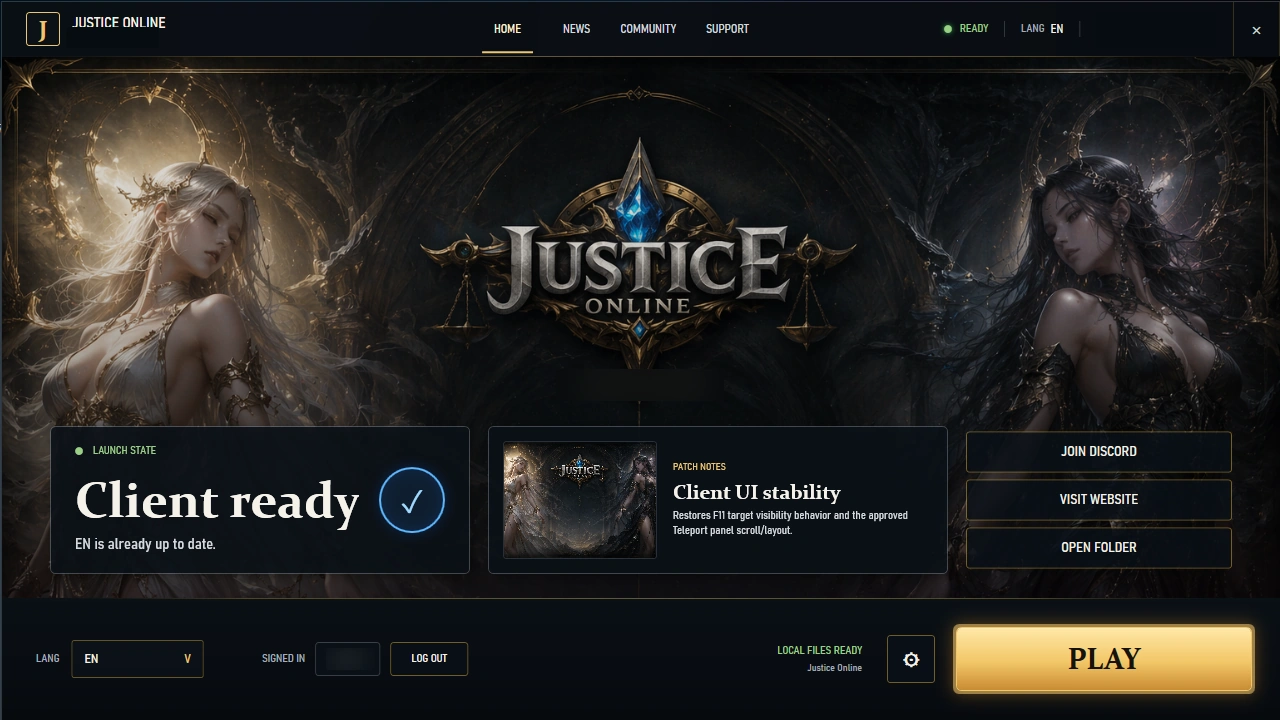
The Justice launcher handles the update flow, language selection, account session and game launch from one surface.
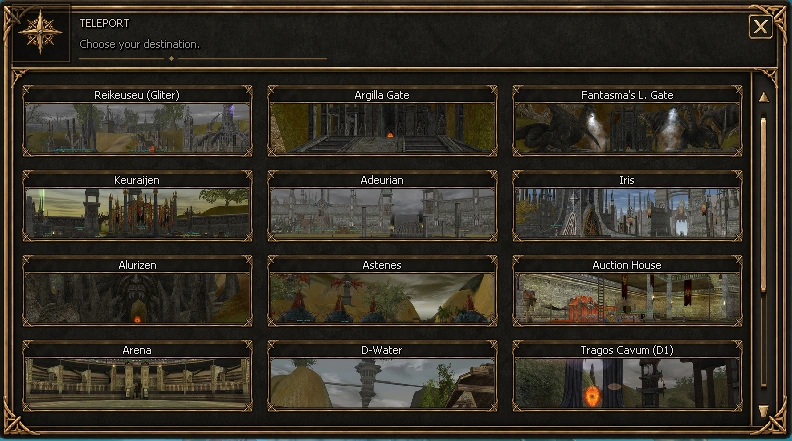
The custom Teleport panel keeps the original client style but presents destinations with map previews and a scrollable catalogue. Towns, gates, Arena, Auction House and dungeon entries are visible from a single in-game window.
Shown from the current Justice Online client.
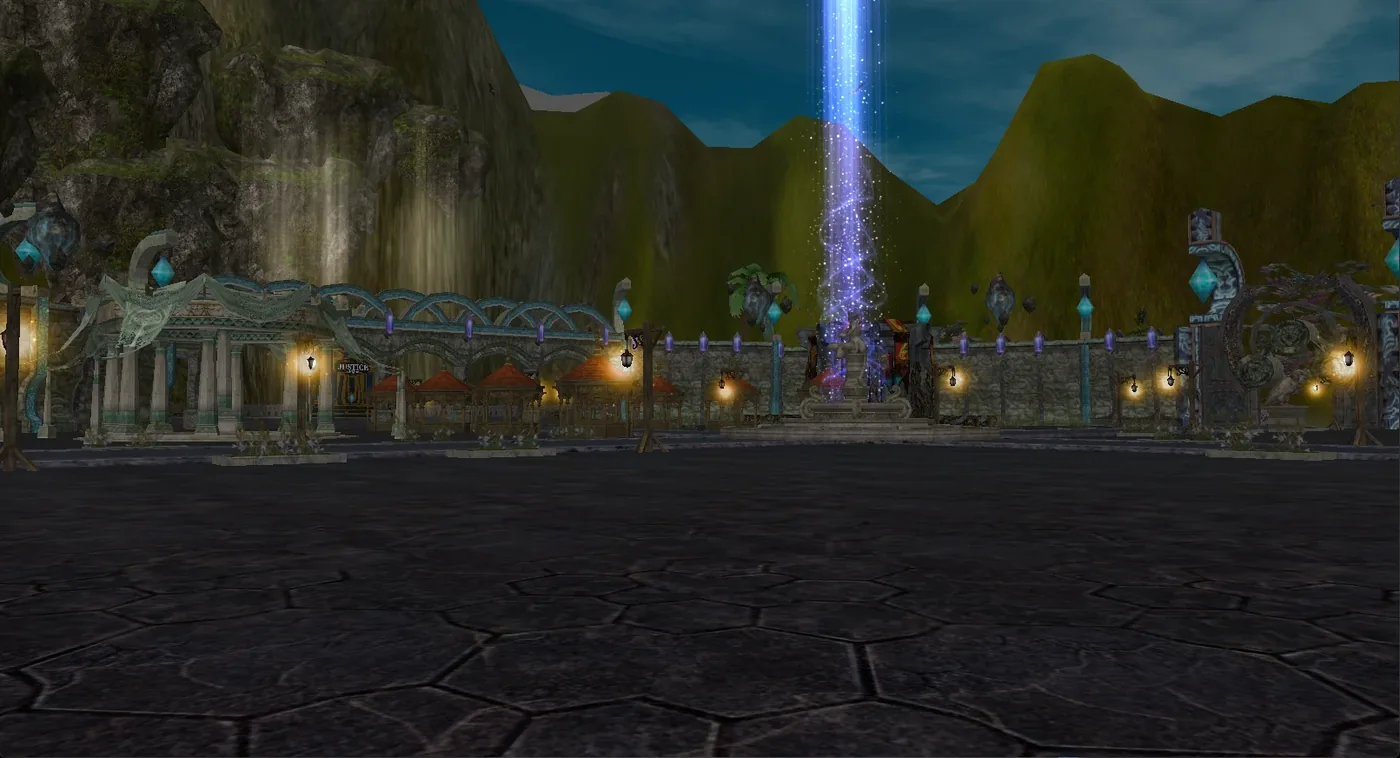
Justice Market is a dedicated peace-zone town with no monsters, open to both factions and reached from its own entry in the Teleport panel. It gives players one central place to meet and trade.
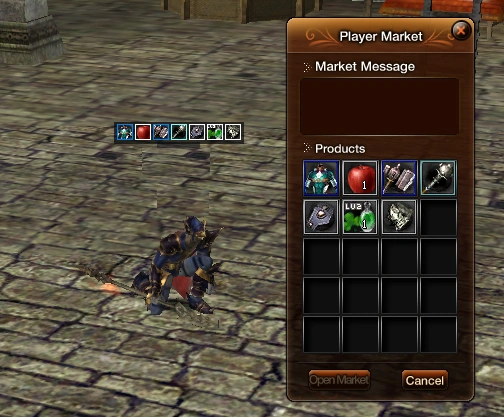
Personal markets show their item icons directly above the shop name in the world, so you can scan nearby sellers before opening each window. Gold is also shared between characters on the same account.
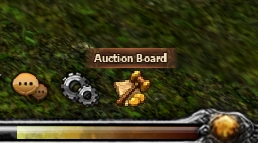
Justice Online adds an Auction Board button beside the original bottom-bar controls. Listings, bids and results stay connected across your characters instead of each character behaving like a separate market account.
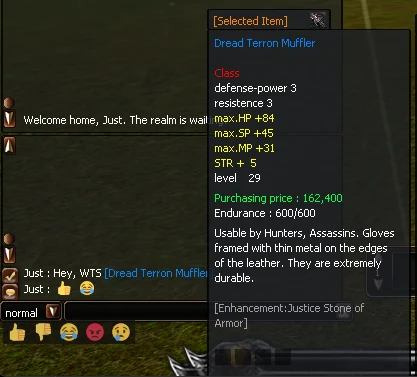
Link an item from your inventory straight into chat. Anyone can hover the link to read the full tooltip, including stats and enhancement, before they reply. An emoji bar sits under the chat box, and emoji also appear in the speech bubbles above characters.
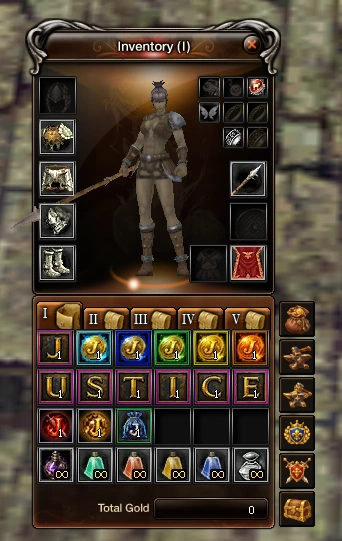
Justice Online keeps the recognizable equipment and bag workflow while progression is tuned around the Level 60 game. Closed Alpha testing focuses heavily on item strength, gold flow, drop value and whether each step feels worth earning.
Alpha progression can be reset whenever clean testing requires it. Tester access does not create launch-day power advantages.
Progression is built around a focused custom episode with a Level 60 cap.
The enhancement ceiling is fixed instead of stretching into later-era upgrade inflation.
Lv15, Lv30 and Lv45 equipment give progression clear upgrade steps on the way to the level cap.
A solo-progression route gets players equipped, while 4-slot Dread gear remains the socket-focused upgrade path.
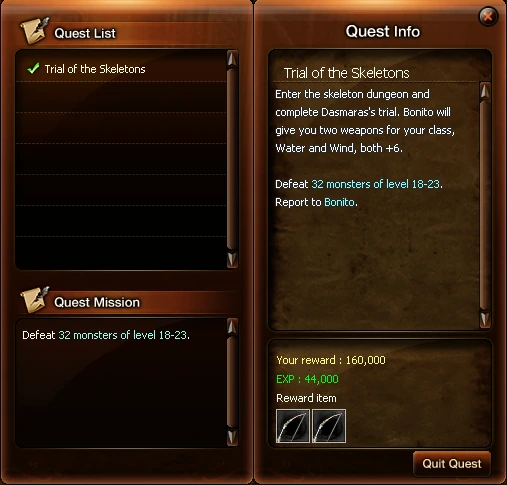
The leveling quest flow is rebuilt around our own progression instead of relying on the stock quest chain. Objectives, pacing and milestone rewards are authored to move players through the intended maps and gear steps.
Shown from the current client: one of the custom progression quests and its real in-game rewards.
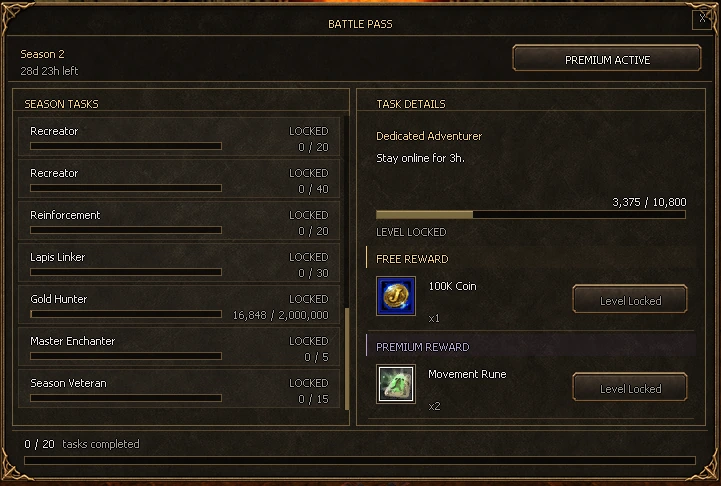
Battle Pass turns normal gameplay into a seasonal set of goals with progress tracked by the server. Each task can grant a Free reward, while Premium unlocks the second reward track across the account.
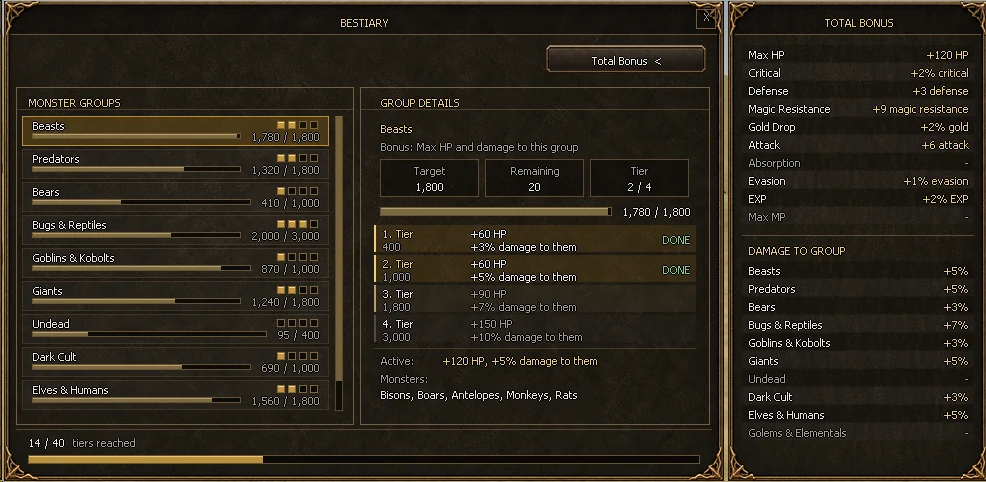
Monsters are sorted into ten groups. Kills count for the whole account at any level, and nearby party members get them too. Each group has four tiers that add a bonus of its own type and raise your damage against that group.
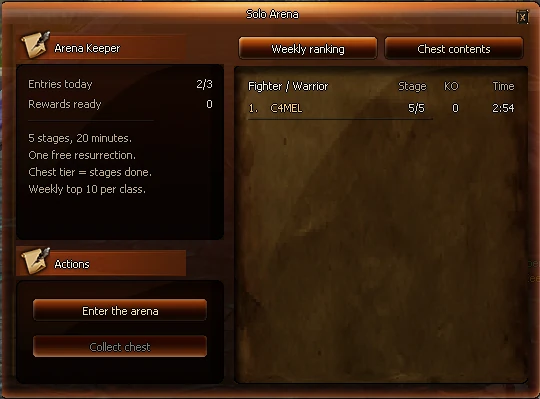
Talk to the Arena Keeper to enter a private arena run. Enemies arrive in groups, each stage gets harder, and the fifth stage ends with the Arena Warden. Parties cannot enter: it is you against the arena.
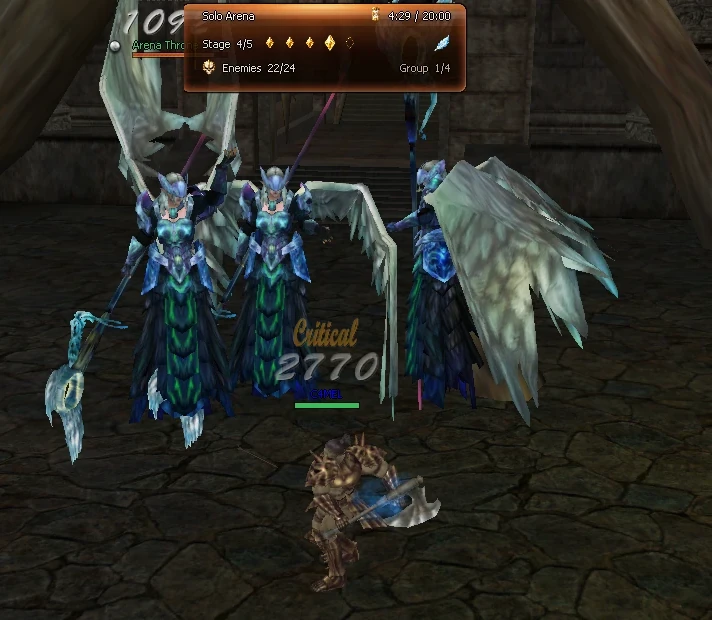
The run panel shows the timer, your stage, enemies left, the current group and whether your resurrection is still available.
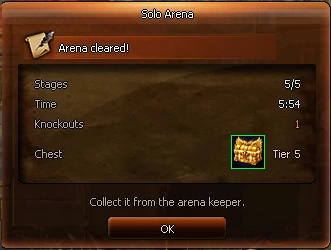
When the run ends you see stages cleared, your time, knockouts and the chest tier you earned.
Ten-minute matches for up to 20 players in a ruined temple. Equal damage; Death Seal, Shadow Step and Ward; power-ups and a bounty on the leader.
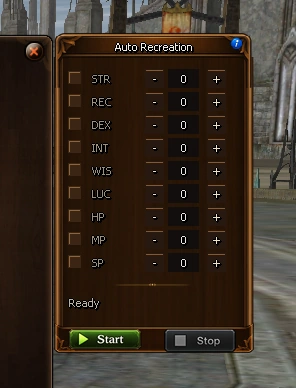
Auto Recreation uses normal Recreation Runes against the selected item until every enabled minimum stat target is reached. STR, REC, DEX, INT, WIS, LUC, HP, MP and SP can be configured independently.
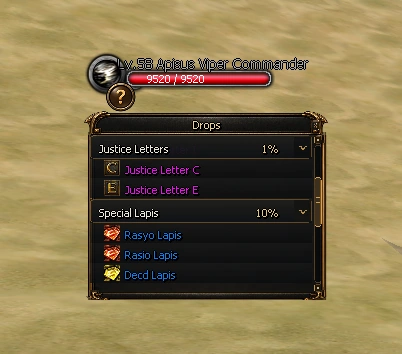
The target view can open a drop list for the monster you are looking at. Categories show their rates, expand into real item entries and keep their context while the list scrolls.
Justice Letters, special Lapis groups and gear drops can be surfaced directly in the client instead of sending players to an external spreadsheet.
The bag button on the minimap (or /loot) lists the last items that entered your bags with their name color, count and time. Picking up the same item again raises its count instead of adding a row.
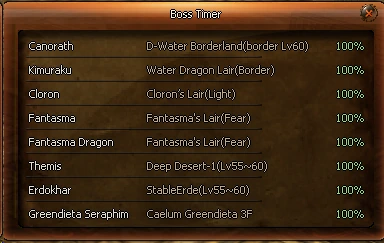
The skull button (or /boss) lists the world bosses with their map, their health while alive, or the time left until they respawn.
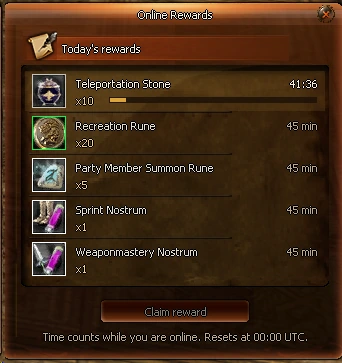
The hourglass button shows today’s five rewards. Each one unlocks after 45 minutes online and is claimed in the window. Time counts while you are online and resets at 00:00 UTC.
Death Recap: After a PvP death a window lists who hit you, their level and class, their damage and its share of your health; the killer is shown in red. /recap opens it again.
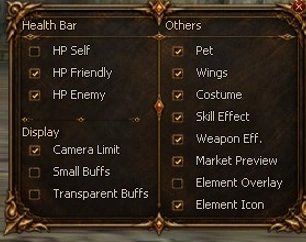
The in-game Quick Settings panel collects visibility and combat-readability controls that normally live across separate client options. HP bars, camera behavior, buff presentation, characters, effects, market previews and elemental information can be adjusted from one place and persist between client restarts.
Adjustable in one panel
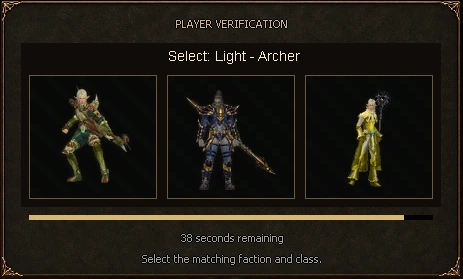
When player verification is required, Justice Online can present a native visual faction-and-class challenge directly in the client. The player selects the requested match from shuffled character images while the server validates the response and controls the challenge flow.
An additional anti-bot layer for suspicious automation and farming patterns, alongside the server's wider anti-cheat monitoring.
Common service windows stay one click from the inventory. Justice Online adds direct shortcuts for the services players repeatedly return to: selling, blacksmith work, professional recreation, guild services, the vet and storage.
 Sell
Sell Blacksmith
 Professional
 Guild
Guild Vet
Vet Bank
BankThe status window keeps the fight visible after it ends. The PvP record keeps the numbers players care about together: kills, deaths, KDR, streak, frags and assists.
 Alliance of Light
Justice Online is still built around two opposing factions. Closed Alpha is validating class pressure, map flow and PvP balance with real players before public launch.
 Union of Fury
The launcher selects the language used by Justice Online's custom client surfaces, while the website and community are built around the same EN / TR / ES / PH set.
Anti-cheat monitoring flags suspicious behavior for staff review so exploits and abnormal play can be investigated during testing and after launch.
Public access remains closed while Closed Alpha testing continues.
Closed Alpha testing is underway. The public server is not open yet.